I found the SDCC small device C compiler, so the NASCOM emulator was an ideal platform to try it out. You write C code on a PC, compile it using SDCC and upload it to the Nascom emulator, using
sdcc -mz80 --code-loc0x1000 --no-std-crt0 test.c
./virtual-nascom test.ihx
Which can be run JavaScript? Version: http://www.dougrice.plus.com/nascom2/JavaScriptNascom2/jsnascom.html
The NASCOM 2 site is: http://www.nascomhomepage.com/#TheNascomRepository
Tommy Thorn has continued working on his NASCOM 2 emulator.
He has a version for X11, SDL1.2, SDL2 and Javascript.
Tommy has a few versions using X11, SDL and JavaScript? & web browser to do the graphics and keyboard. See https://github.com/tommythorn
Tommy has an SDL version at: https://github.com/tommythorn/virtual-nascom
There is now a JavaScript? Version. https://github.com/tommythorn/jsnascom which is a tough ask.
My modified version: http://www.dougrice.plus.com/nascom2/JavaScriptNascom2/jsnascom.html
He also has a github on SDCC.
I have ported the NASCOM 2 to use SDL2 and is on my github: https://github.com/doug-h-rice. I added a "tape recorder" so W R V commands can be used.
The Linux emulation is good as you have to compile it and I have a tool chain using SDCC for C code. ( http://sdcc.sourceforge.net/ )
I had built the UNIX emulator on Ubuntu using GCC having installed enough add on X11 packages. Eventually the Ubuntu updates broke this. Tommy ported this to work with SDL 1.2, which I ported to run on SDL2.
I got the SDL1.2 version to build on Ubuntu, and on the Raspberry Pi after I installed SDL1.2 and SDL2. It did not run on Raspbarian stretch, so I ported it to SDL2.
See: http://www.dougrice.plus.com/nascom2 and https://github.com/doug-h-rice/virtual-nascom2-dhr
and my updated JavaScript? Version: http://www.dougrice.plus.com/nascom2/JavaScriptNascom2/jsnascom.html
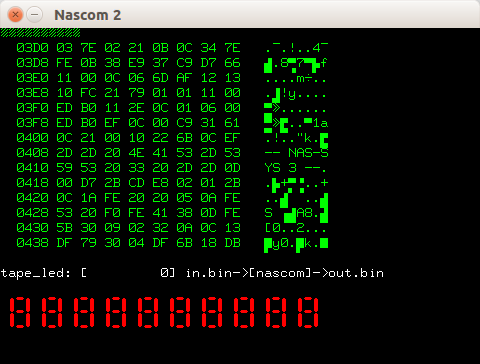
Example of SDL version with tape recorder and 7 segment display experiment.
by Peter Jensen
"Hi! I recently dug out my old Nascom-2 from the attic. It was sort of working, but I couldn't find all the docs. Luckily, I found your web-site (nascomhomepage.com). I started playing around with the simulator you had written, and made a few changes to allow it to be compiled to webAssembly which can be used from a web app.
You can check the result here:
https://peterjensen.github.io/virtual-nascom/virtual-nascom.html"
https://github.com/tommythorn/virtual-nascom/pull/9
Tommy Thorn also has a JavaScript? version, which can be run in a web browser.
https://github.com/tommythorn/jsnascom - Git Hub
http://www.dougrice.plus.com/nascom2/JavaScriptNascom2/jsnascom.html - runs NASCOM 2 in web browser
usage: sdcc -V -mz80 --code-loc0x1000 --no-std-crt0 -Wl -u test_a.c
The JavaScript? NASCOM 2 simulator version works in Chrome / Firefox browser. ( 22/11/2014 )
load test_a.ihx
The reload button allows new code to be reloaded.
see: http://www.dougrice.plus.com/nascom2/ for files.
NOTE: some of the examples need updating as putchar has been updated.
void putchar( char x );
has been changed to
int putchar( char x );
To get a listing with the HEX add -u to the linker or -Wl -u
Add -V helps understand the commands used.
sdcc -V -mz80 --code-loc0x1000 --no-std-crt0 test_a.c
Add -u to the sdldz80.exe-nf "test_a.lk" so it outputs a .rst file with the HEX as in memory.
sdldz80.exe -u -nf "test_a.lk"
or add -Wl -u to generate the .rst file.
sdcc -V -mz80 --code-loc0x1000 --no-std-crt0 -Wl -u test_a.c
e.g. http://www.dougrice.plus.com/nascom2/test_asm.rst
To try writing in assembler the SDCC compiler can be used. Write a C program and use the -V to get the commands. Use the .asm file as a starter.
See my github: https://github.com/doug-h-rice
http://www.dougrice.plus.com/nascom2/ has some files.
I modified xvirtualnascom.c for X11 and virtualnascom.c for the SDL version to load other Hex file formats and the output from SDCC the small device compiler. Hello World on a Nascom emulator!
Also see http://www.dougrice.plus.com/nascom2/test_a.c for an example C program with functions to allow printf and a function the get key presses called rin.
I added some functionality to add a tape recorder.
Tommy Thorn also amended his code at the same time.
I found and used this one
http://wwwhomes.uni-bielefeld.de/achim/z80-asm.html
I patched xvirtualnascom.c to load the hex files.
You can also use SDCC.
On the Elf Emulation page, I found an assembler I could edit the for my SC/MP projects.
http://www.elf-emulation.com/rcasm.html - now getting 404 error , but http://www.elf-emulation.com has a new format.
Now at https://github.com/rileym65/RcAsm
https://github.com/doug-h-rice/RcAsm - forked to add SC/MP 8060.def and update z80.def file.
https://github.com/doug-h-rice/virtual-multicomp has a in copy in a folder with the source code.
SDCC is the Small device compiler.
see: http://sdcc.sourceforge.net/
I used SDCC to build some C code to run on the Nascom.
See the C files in http://www.dougrice.plus.com/nascom2/
I need to patch the putchar() function to use the NAS-SYS routines so that printf works.
/*
*
* usage: sdcc -mz80 --code-loc0x1000 --no-std-crt0 test.c
* gcc -Wall -c "%f"
*
*/
#include <stdio.h>

/* code seems to start here, when I run E1000 */

main(){
  printf("Hello World!");
  return 1 ;
}

void putchar( char x ){
/* call nascom software interupt */
	__asm
	;x = x +1; use first parameter
	;ADD A	, #10;
  	RST	0x30;
	__endasm;
}
NOTE 1: some of the examples need updating as putchar has been updated.
void putchar( char x );
has been changed to
int putchar( char x );
Add -V helps understand the commands used.
Add -u to the sdldz80.exe-nf "test_a.lk" so it outputs a .rst file with the HEX as in memory. The .lst file does not.
sdldz80.exe -u -nf "test_a.lk"
Add -Wl -u to the SDCC command so it outputs a .rst file.
e.g. http://www.dougrice.plus.com/nascom2/test_asm.rst
NOTE 2: the SDCC command probably needs the location of the stack adding, but it worked for my examples for the Nascom.
My examples for Grant's multicomp probably would need the stack location adding.
My SDL2 code loads both .nas and .ihx file formats.
I added a loader function for the HEX files. I modify the virtualnascom.c files to select what software rom is loaded when ./virtualnascom is started.
My Github has virtual-nascom and virtual-multicomp
virtual-multicomp allows you to build a "bare metal" board for Z80, 6809, 6502 based on Grant Searle's multicomp and Spencers RC2014.
https://github.com/doug-h-rice/virtual-multicomp
nascom links:-
https://groups.io/g/Nascom-Computers/wiki/home
https://nascom.wordpress.com/about/
https://tupel.jloh.de/nascom/magazines/
emulating z80 links:-
https://github.com/doug-h-rice/virtual-multicomp -- z80 emulator and SDCC
http://www.mdfsnet.f9.co.uk/Software/Z80/Exerciser/
https://github.com/feilipu/NASCOM_BASIC_4.7
FPGA links:-
http://searle.x10host.com/ ( was http://searle.wales/ ) - z80 multicomp. This is really good.
https://www.retrobrewcomputers.org/doku.php?id=boards:sbc:multicomp:cycloneii-c:start
http://zx80.netai.net/grant/Multicomp/index.html
https://www.uelectronics.info/multigen.html
https://github.com/doug-h-rice/virtual-multicomp -- z80 emulator and SDCC
https://github.com/tommythorn/virtual-nascom/issues/6 - bug report for simz80.pl and simz80.c -
Hi - thanks for a brilliant Nascom 2 Emulator - allows me to test stuff before porting it to the real deal.
In checking the code I found some errors in simz80.c code.
Line 2198 - the INI command It is decrementing the BC register but it should be just decrementing the B register, and it's not setting the Z flag.
Line 2203 - the OUTI command The decrement of B is actually decrementing C and putting it in B
It should then be checking if B is zero.
 Sethreg(BC, lreg(BC) - 1); should be Sethreg(BC, hreg(BC) - 1);
 SETFLAG(Z, lreg(BC) == 0); should be SETFLAG(Z, hreg(BC) == 0);
Line 2228 - the IND command - same issue as with OUTI
Line 2234 - the OUTD command -same issue as with OUTI
Not sure if you are amending this file directly or still generating it from the perl script.
Kind regards David
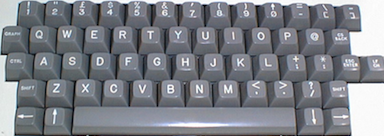
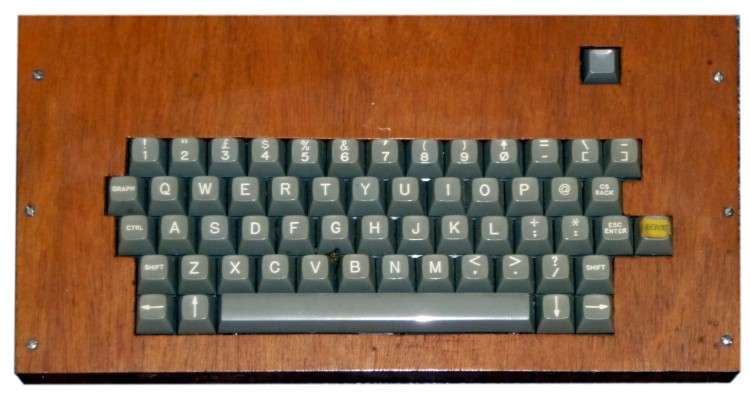
Not all the keys are in the same place as a modern keyboard. I borrowed this from the Cambridge Museum.
http://www.computinghistory.org.uk/ - well worth a visit, especially the autumn vintage computer gathering.
In passing, my Nascom 2 that I had in 1982 helped. Tommy Thorn's JavaScript? emulation used JavaScript?. It helped me understand how you used JavaScript? with html < CANVAS >
http://www.dougrice.plus.com/nascom2/JavaScriptNascom2/jsnascom.html
http://www.dougrice.plus.com/nascom2/JavaScriptNascom2/nascom.js has paintScreen() and drawScreenByte?()
Here are a few notes about some dabbles with emulating the NASCOM 2 and using an assembler or SDCC compiler
Adding the tape recorder functionality makes it more enjoyable.
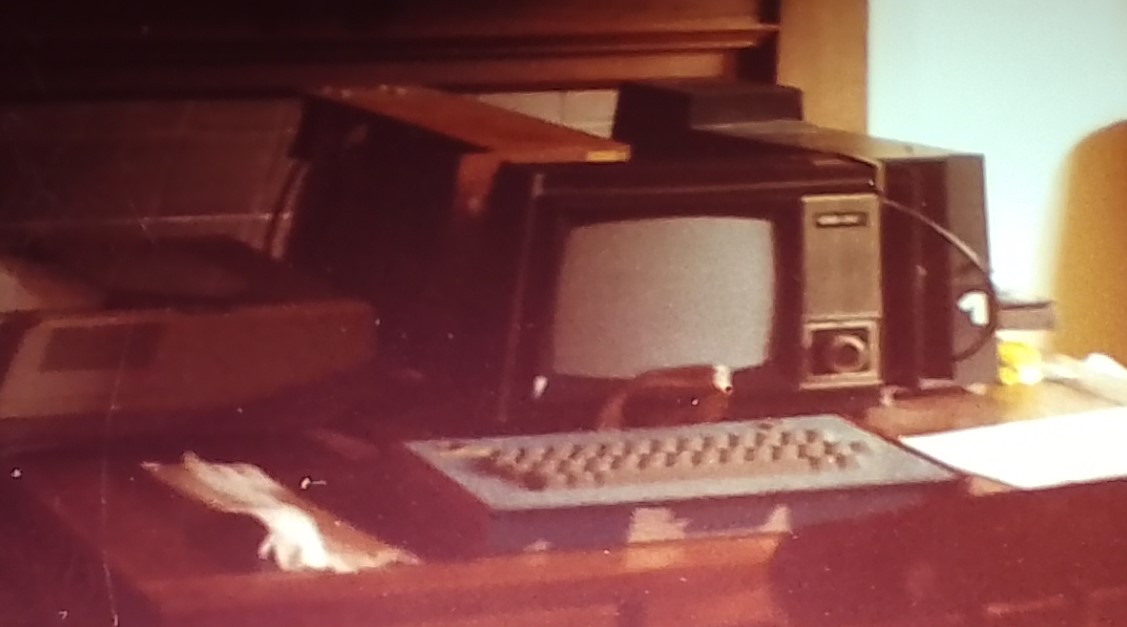
A photo of my Nascom2 from about 1984. I had the 16K memory expansion card. I piggy backed the memory chips. I had an 8 inch floppy disk drive from Display Electronics. I used the Wireless World circuit