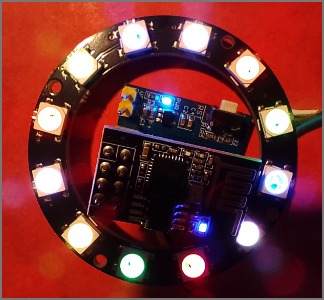
WiFi base Temperature Logger - collates notes on using a blue board with DS18B20, ESP01 and MicroPython
Similar information is posted on:
possibly collated to this page:-
ESP01 DS18B20 - This page
Early in 2026, I brought some little boards with the DS18B20 chips to measure temperature. They came with ESP01S
The ESP01S is just under the ESP01S and the little blue board provides a voltage regulator.
The DS18B20 is connected to IO 2
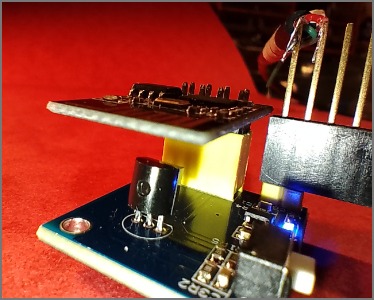
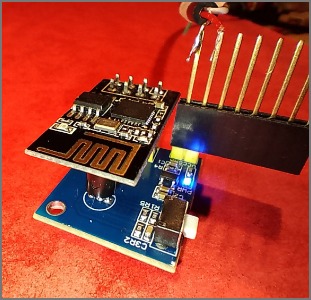
I can power the blue board with a USB cable plugged into a mains adaptor with a 5V USB-A socket.
I used an IR Infrared Thermometer to measure the temperature of the ESP01 and the board.
The ESP01S gets quite warm at about 30 degree C
If you leave the ESP01 unplugged, and power up the blue board, it seems to be a 1 degree hotter than the red card.
I brought some waterproof DS18B20 with 1m of cable, which could be soldered onto the back of the blue board. This seems to be reading a realistic temperature.
http://www.dougrice.plus.com/dev/tcpip/IOT/mainDS18B20used.py is a later version that works enough.
http://www.dougrice.plus.com/dev/tcpip/IOT/mainDS18B20_2.py is a mash up from the links below.
https://docs.micropython.org/en/latest/esp8266/tutorial/onewire.html has an example.
I brought some little boards with the DS18B20 chips to measure temperature. They came with ESP01S
The DS18B20 is connected to IO 2
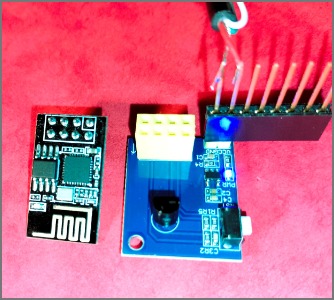
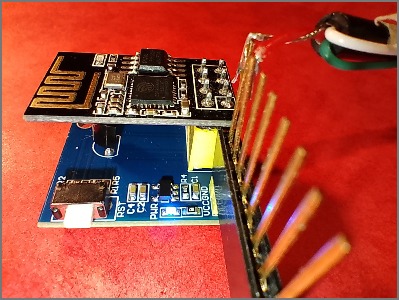
I can power the blue board with a USB cable plugged into a mains adaptor with a 5V USB-A socket.
I used an IR Infrared Thermometer to measure the temperature of the ESP01 and the board.
The ESP01S gets quite warm at about 30 degree C
If you leave the ESP01 unplugged, and power up the blue board, it seems to be a 1 degree hotter than the red card.
I brought some waterproof DS18B20 with 1m of cable, which could be soldered onto the back of the blue board. This seems to be reading a realistic temperature.
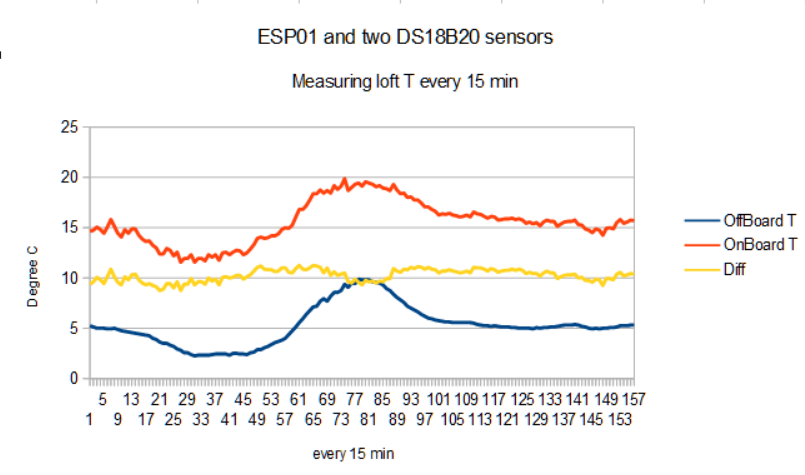
They are reading about 8 to 10 degrees less.
http://www.dougrice.plus.com/dev/tcpip/IOT/mainDS18B20used.py is a later version that works enough.
This Thonny sketch allows me to poll the temperature using a web server.
http://www.dougrice.plus.com/dev/tcpip/IOT/mainDS18B20_2.py
I can poll this with a cron job and use curl and grep out what I want. The time stamp comes from the Raspberry Pi Zero.
===
 2026-02-13 21:30
    <h2> 2 , DS18B20 , 5.0 , 15.125 ,  [, 0x28,0xe8,0x42,0xc0,0x0,0x0,0x0,0xc5, ] ,  [,  0x28,0x20,0x4d,0xbc,0x0,0x0,0x0,0x2e, ] ,  </h2>
It might be better to use a client that deep sleeps the ESP01, wakes up takes the measurement, sends it to a server and deep sleeps.
http://www.dougrice.plus.com/dev/tcpip/IOT/mainDS18B20used.py is a later version that works enough.
http://www.dougrice.plus.com/dev/tcpip/IOT/mainDS18B20_2.py is a mash up from the links below.
https://docs.micropython.org/en/latest/esp8266/tutorial/onewire.html has an example.
Open Thonny and type help() and it has example code for connecting the ESP01 to the WiFi.
https://docs.micropython.org/en/latest/esp8266/tutorial/network_tcp.html has some code for a web server.
Thonny would not let me save main.py to the ESP-01S until I flashed it with the 1MB vesion.
I needed to use the 1MB bin so I could save main.py
ESP8266_GENERIC-FLASH_1M-20251209-v1.27.0.bin found on https://micropython.org/download/ESP8266_GENERIC/
I brought a board ESP8266-D1-WeMos-D1. This simplifies developing the code for the ESP01
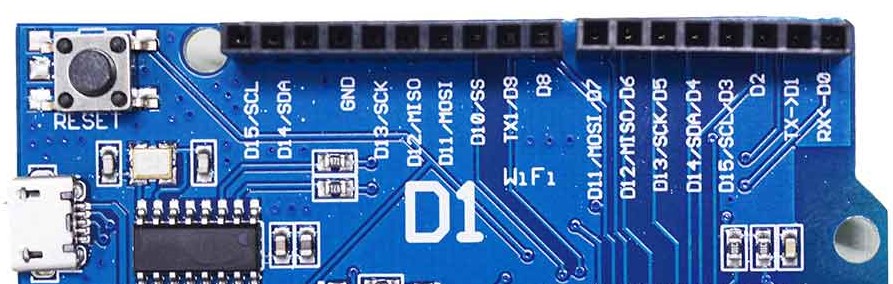
Sometimes you need to upload Micro-Python to the ESP01 board.
I had to use the 1MB version: ESP8266_GENERIC-FLASH_1M-20251209-v1.27.0.bin
I found this at found on https://micropython.org/download/ESP8266_GENERIC/
I used the D1 board to tinker with the micropython example. I had to select 4MB when uploading the MicroPython
ebay suggested the ESP01 and support to reprogram these has been added to the Arduino.
Another way to upload code onto them is to use MicroPython and the Thonny Python IDE shipped with the Raspberry Pi.
https://micropython.org/download/esp8266/ - there are plenty of examples which can be uploaded using Thonny at the touch of the GO button.
I brought a few with the blue adaptor plate.
Later on I decided to buy the little USB programmer adaptors.
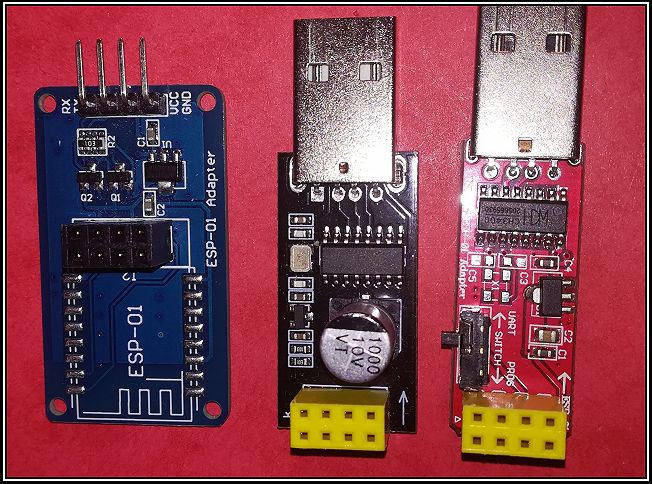
The pin out.
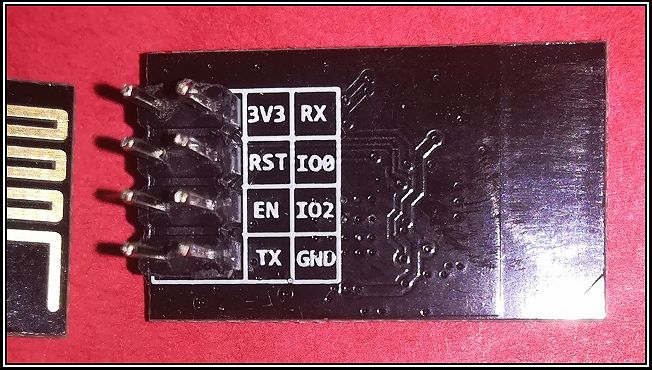
It is possible to reprogram them with the Arduino IDE and other tools.
I use a wire to put the ESP01 into boot mode.
Connect RST and GP0 to GND and ensure GP0 is held at GND after RST is pulled high.
  RST:  - -_ _ _ _ _- - - - - -
  GP0:  - - -_ _ _ _ _ _- - - -
I brought a board ESP8266-D1-WeMos-D1. This simplifies developing the code for the ESP01. It has a 4MB memory
You can develop the code using MicroPython or the Arduino IDE.
Thonny is a Python IDE that is shipped with the Raspberry Pi and available for Windows.
It can be used with other Python REPL and it has the ability to upload MicroPython onto the ESP01.
Open Thonny->options-Interpreter-Install or update firmware. You need to download the latest firmware.
See https://micropython.org/download/esp8266/
It looks like a really good way to do a bit of tinkering that does not need the full reprogram cycle.
This provides a different way to explore the WiFi API.
See: https://docs.micropython.org/en/latest/esp8266/quickref.html
Thonny and MicroPython can be used with the ESP32 and Raspberry Pi PICO as well.
https://micropython.org/download/esp8266/ - there are plenty of examples which can be uploaded using Thonny at the touch of the GO button.
I brought some little boards with the DS18B20 chips to measure temperature. They came with ESP01S
The DS18B20 is connected to IO 2
I used an IR Infrared Thermometer to measure the temperature of the ESP01 and the board.
The ESP01S gets quite warm at about 30 degree C , or about 10 degree C above ambient.
If you leave the ESP01 unplugged, and power up the blue board, it seems to be a 1 degree hotter than the red card.
I also brought some waterproof DS18B20 with 1M leads, so I soldered a second DS18B20 in parallel with the one on the blue board. This was mot afected by the temperature of the ESP01.
These Thonny sketches allows me to poll the temperature using a web browswer or curl. They use the web server example. They need a tidy.
It might be better to use a client that deep sleeps the ESP01, wakes up takes the measurement, sends it to a server and deep sleeps.
http://www.dougrice.plus.com/dev/tcpip/IOT/mainDS18B20_2.py is a mash up from the links below.
http://www.dougrice.plus.com/dev/tcpip/IOT/mainDS18B20used.py is a later version that works enough.
https://docs.micropython.org/en/latest/esp8266/tutorial/onewire.html has an example.
Open Thonny and type help() and it has example code for connecting the ESP01 to the WiFi.
https://docs.micropython.org/en/latest/esp8266/tutorial/network_tcp.html has some code for a web server.
The code needs to be more robust to report hardware issues.
Thonny would not let me save main.py to the ESP-01S until I flashed it with the 1MB vesion.
I needed to use the 1MB bin so I could save main.py
ESP8266_GENERIC-FLASH_1M-20251209-v1.27.0.bin found on https://micropython.org/download/ESP8266_GENERIC/
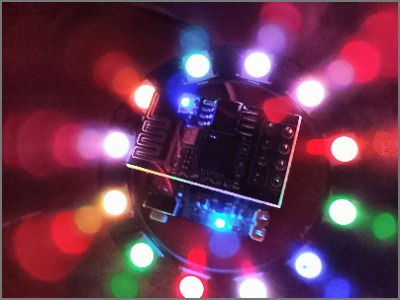
Thonny includes a NEO PIXEL module that makes it simple to try out some ideas.
I brought some 12 LED rings and wrote some HTML CANVAS javascript, to allow some animation expriments.
http://www.dougrice.plus.com/dev/graphs/t_clock.htm has some JavaScript and Micro-Pytho